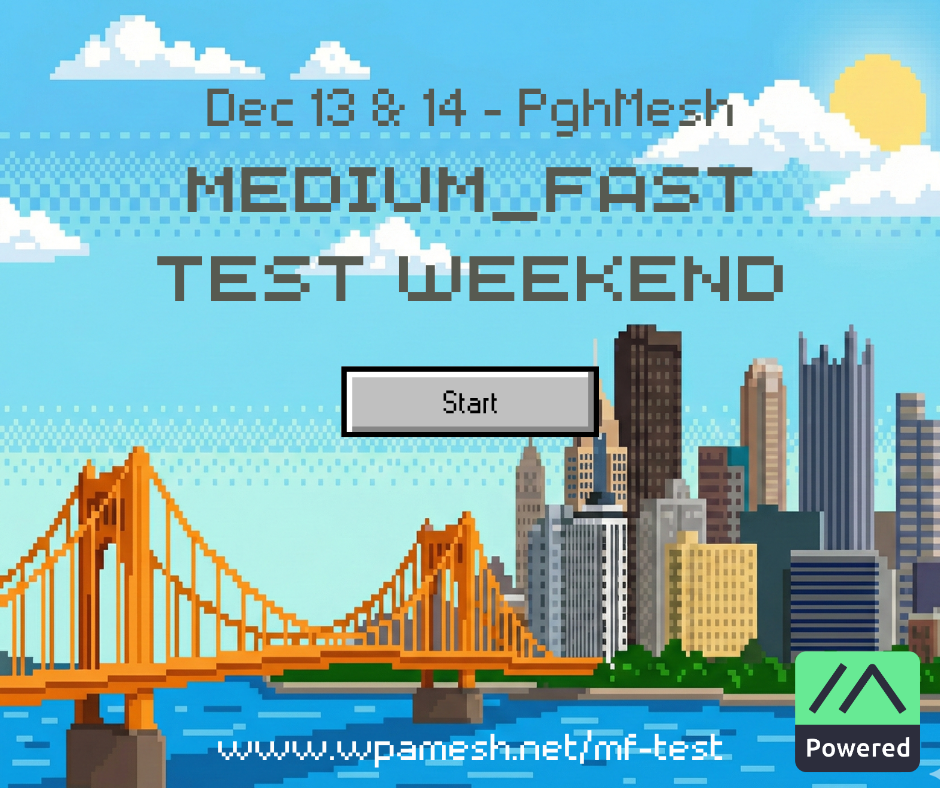
WPA Mesh is holding a test of the Medium_Fast Meshtastic preset.
Join us! The more people participate, the better. Please sign up to help us with testing.
WHEN: Starting 9am on 12/13 and ending at 9pm on 12/14.
WHY: To determine if it makes sense to switch our mesh to Medium_Fast permanently. This article goes into the details. Also for fun!
WHO: Anyone can participate, but the test is intended for nodes in/near the City of Pittsburgh and surrounding municipalities.
HOW:
- Change an existing node (ideally your most capable) from Long_Fast to Medium_Fast, or add a new node. Set up your Medium_Fast node(s) anytime, and switch at least one of your nodes back to Long_Fast after the test. Read below for detailed instructions.
- Set MediumFast as your primary channel and start sending messages!
- Participate in planned testing activities.
- Test your connectivity to other nodes using trace routes.
- Share anything interesting in our Discord channel.
Bonus: Clear your node database before you switch presets to see what the Medium_Fast map looks like.
Planned Testing Activities
We’re planning some scheduled activities to encourage “stress testing” the mesh and just for fun. The time are mostly a suggestion. You can do (almost) any of the things anytime!
Saturday
🌍 9:00 — Say “Hello World!” when you get your node set up on MediumFast.
🛜 10:00 — Traceroute Show & Tell: Share screen shots of your most interesting MediumFast traceroutes on Discord in the #sightings-and-connectivity channel. You can do this anytime, of course.
🤔 13:00 — Trivia: Keep an eye out for questions, send your answers, and hopefully you’ll see if you’re correct! A few will be sent from Redtail Hawk during this hour, but feel free to send your own questions anytime!
🔥 14:00 onward — Open Chat: Hot Takes! Share a potentially controversial opinion about a Pittsburgh icon (person, place, food, tradition, etc). Feel free to reply to others’ hot takes and really get into it. Keep it PG-13 at least, please.
🛝 17:00 — Slide into those DM’s! Try sending some DM’s to a few random nodes you’ve picked up recently. Share about your successful conversations on Discord in the #sightings-and-connectivity channel.
Sunday
☕ 9:00 — Open Chat: Morning Joe. Pour yourself a warm beverage and let’s just chat. Ask a good question and we’ll see where the conversation goes!
🛝 10:00 — Slide into those DM’s! Try sending some DM’s to a few random nodes you’ve picked up recently. Share about your successful conversations on Discord in the #sightings-and-connectivity channel.
🛜 11:00 — Traceroute Show & Tell: Share screen shots of your most interesting MediumFast traceroutes on Discord in the #sightings-and-connectivity channel. You can do this anytime, of course.
🤩 12:00 onward — Open Chat: Favorite Things. Help your fellow meshers figure out what to ask or give for the holidays by sending a message about one of your favorite things. It could be a gadget, book, food, tool, whatever. Keep it PG-13 at least, please.
🍻 17:00 – 19:00 — Get a beer IRL! We’ll meet on Sunday, 5 – 7pm at Golden Age Beer Company in Homestead to meet each other and debrief the test over tasty beverages. Bring nodes/gear to show off and/or trade! CANCELLED! Weather won’t allow it!
🌛 21:00 — Say goodnight! Say farewell before you sign off and switch back to LongFast, or let us know if your node is staying on MediumFast.
Want to help lead an activity? Let us know on the sign up form or in Discord!
Detailed Instructions
It is recommended that you update your node to the latest release of your personal favorite branch (alpha/beta). The minimum should be 2.7.15.
Then, swapping to MediumFast is pretty straightforward:
- Open your Meshtastic companion app or web client.
- Head to Settings > LoRa.
- Find the Preset option, and change it to Medium Range – Fast.
- Confirm that your Frequency Slot is set to the default of 45 (or set it to 0 and it will automatically change to the correct slot for the current modem preset)
Note – If you have a band-pass filter in use, please read this important information.
After the test concludes
Once the test has concluded on December 14th at 9pm, simply change your LoRa preset back to LongFast. Or keep a node on MediumFast! We’ll likely migrate permanently in the coming months.
*Thanks to Susquehanna Valley Mesh for these instructions!
Specific LoRa & Primary Channel Settings
Preset: Medium Range – Fast (aka. MEDIUM_FAST)
OK to MQTT: Enabled
Frequency Slot: 45
Frequency: 913.125
Optional:
- Change your hop limit to 5 or more to give your packets more range.
- Reset your node database to only see connections you’ve made on Medium_Fast.
Your Primary Channel should change automatically to MediumFast. Here are the correct settings for the primary channel to set manually if needed.
Primary Channel Name: MediumFast
Key/PSK:AQ==
Uplink: enabled
Downlink: disabled
A Note on Band-pass Filters
For those running Meshtastic devices with band-pass filters, a shift in Lora mode preset will necessitate a re-calibration. These filters are precisely tuned to a specific frequency range to maximize signal reception and reject interference. Start by determining the pass band on your filter to determine if the new frequency falls within the range that is passed or if you must retune. This information is typically available on the filter manufactures website and some times on a label on the filter itself. Below are frequencies for the current mode and the proposed mode.
| Preset | Frequency Slot | Frequency |
| LongFast | 20 | 906.875mhz |
| MediumFast | 45 | 913.125mhz |